
CaseHound is case management software for anyone who investigates. It is a hosted case management system (CMS) that keeps evidence, persons, vehicles, locations, organizations, documents, tasks and the relationships between them in one searchable case file, with the audit trail that serious work requires. Professionals use it for criminal, private and cold-case investigations. Amateur sleuths use it on cases that are theirs to chase, whether that is a current story in the news or Jack the Ripper. Researchers and writers use it as a research tool, because anything with people, places, sources, dates and connections fits the model.
See plans and start free Open the app
Who uses CaseHound
- Professional investigators. Private investigators, insurance and corporate investigators, cold-case units and small law-enforcement teams who need custody logs, collaboration with defined roles, and reports that hold up when questioned.
- Amateur investigators and true-crime researchers. Independent researchers working historical or current cases on their own terms, from a neighbourhood mystery to the Whitechapel murders. The same tools, without the enterprise price tag.
- Researchers, writers and podcasters. Anyone organizing sources, people, places and timelines for a book, a podcast, a genealogy or a local-history project. Treat a “case” as a research file and the timeline, link analysis and document tools do the rest. That is how CaseHound is used most days by the people who built it.
What a case management system should do
Every guide to choosing case management software lands on the same short list of must-have case management software features: a single record for each case that everything else attaches to, secure data collection for documents and evidence, a timeline, a way to track who did what and when, collaboration with permissions, and compliance and reporting tools that let you export or print the file on demand. Many products add workflow automation software features such as status tracking, task assignment and overdue alerts. CaseHound covers each of these, and it adds two things most client tracking systems leave out: chain-of-custody logging for evidence and a link-analysis graph of how everyone and everything in a case connects.
Case management software features in CaseHound
Complete case records
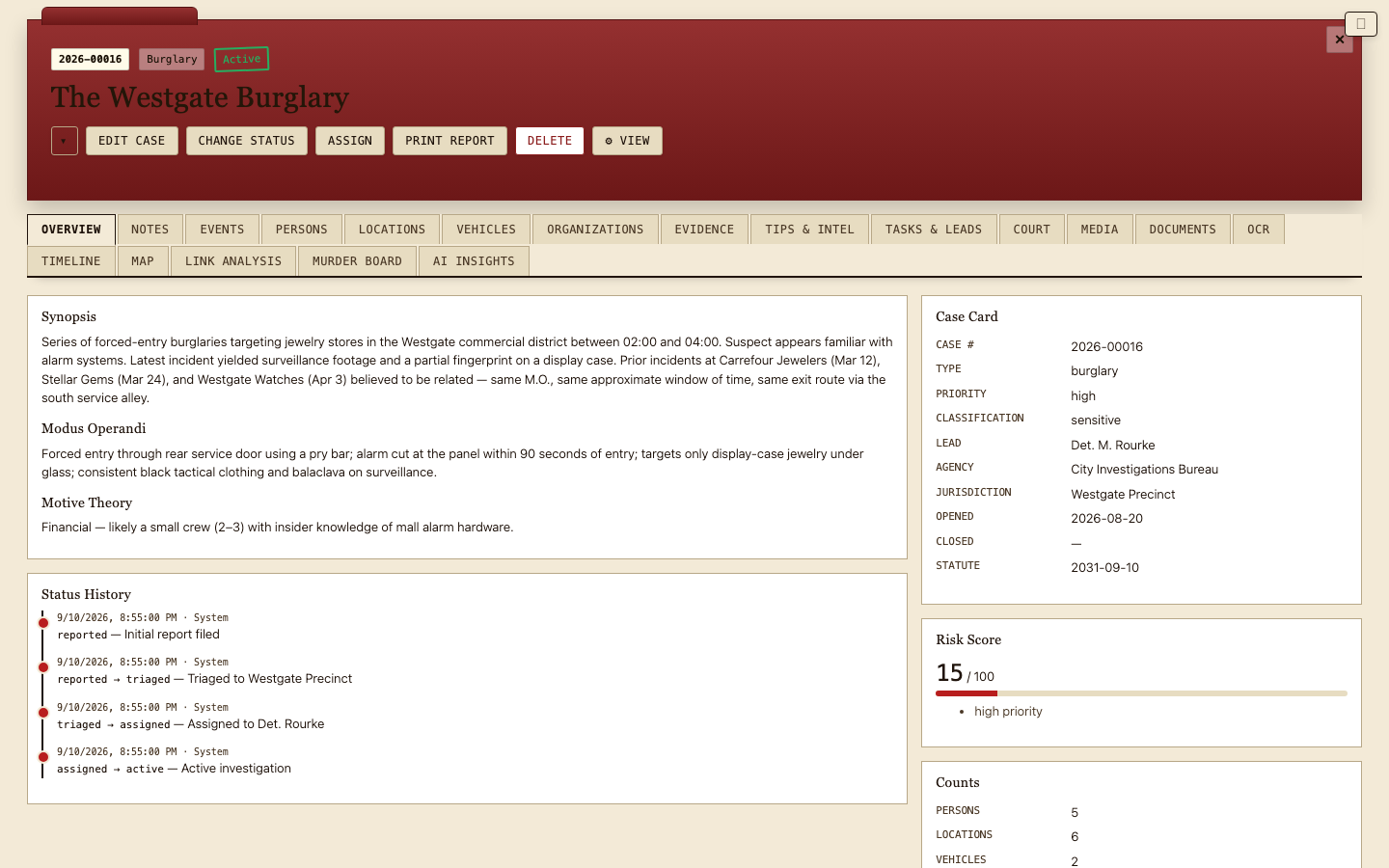
Each case holds its own persons (with roles such as suspect, witness, victim, source or client, plus relationships between them), vehicles, locations, organizations, tasks, notes and tips. Records are cross-referenced across cases, so the same person, address or vehicle that appears in three investigations is one record with three links, not three copies. Rename “case” to “project” in your head and the same structure works for research.
Evidence with chain of custody
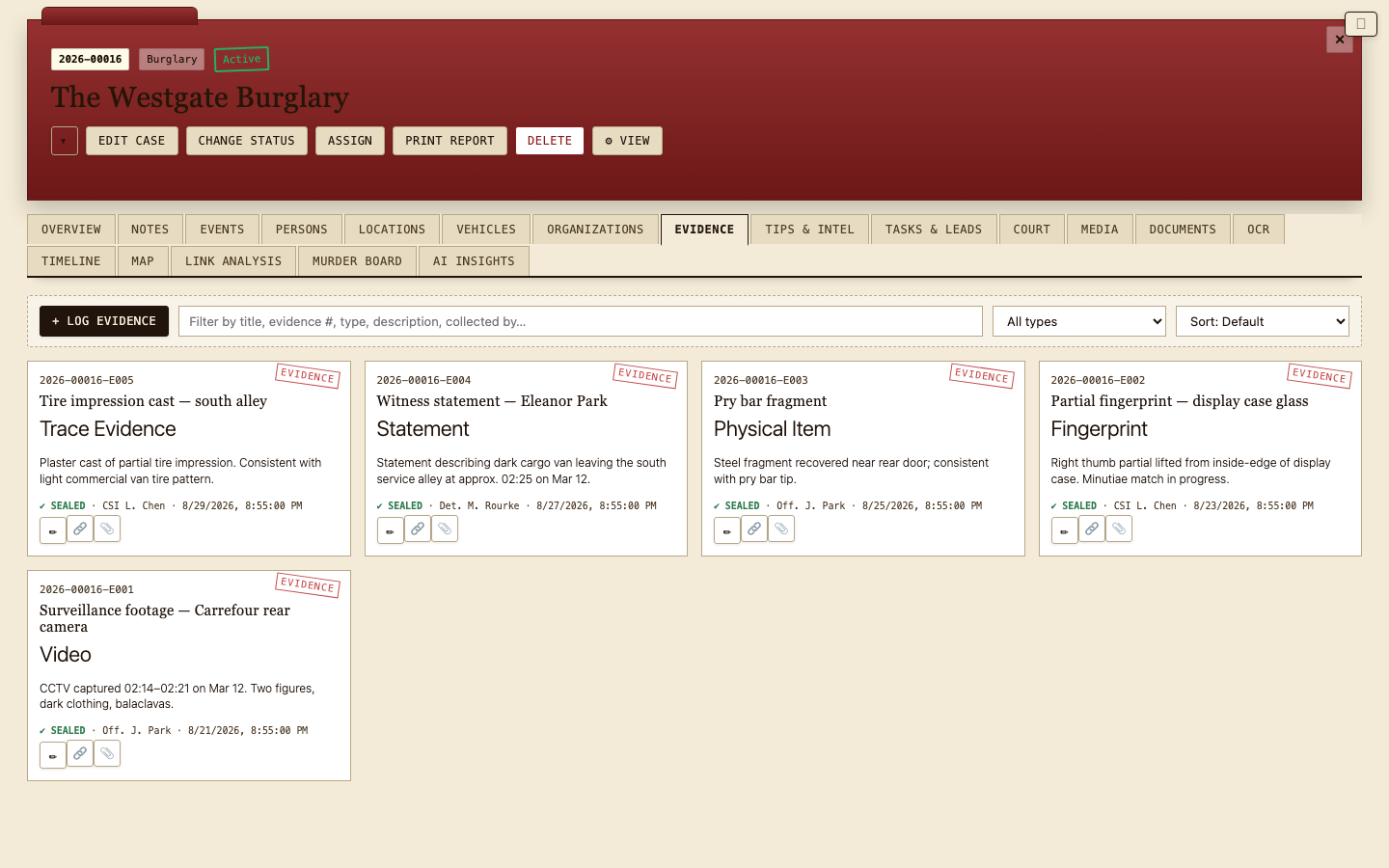
Every evidence item carries a custody log: each hand-off, review and storage change is recorded with who, when and why. That is the difference between a shared folder and a case management system built for investigations, and it is what makes the file defensible later.
Documents, OCR and secure data collection
Upload PDFs, scans, photos and other files directly to the case. In-browser OCR extracts the text from scanned material so it becomes searchable alongside your notes. Attachment storage is allocated per plan and counted against the case owner’s account, so a team’s files always live under the account that is responsible for them.
Timelines and court events
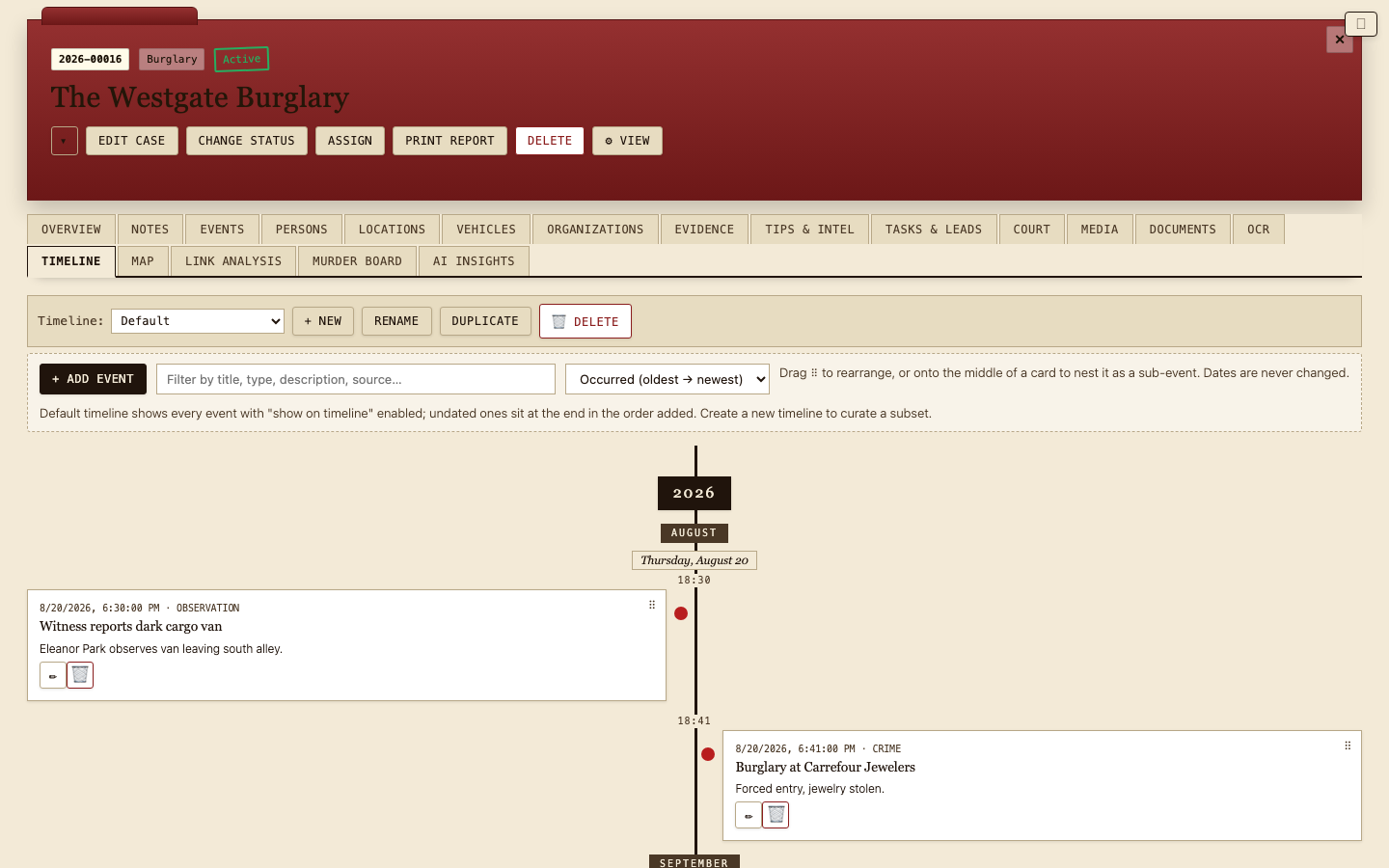
Build the sequence of events with nested sub-events, keep undated items alongside dated ones, and track court dates and deadlines on the same timeline. Timelines can be shown on or off the main chronology, which is useful when a case has parallel threads.
Link analysis
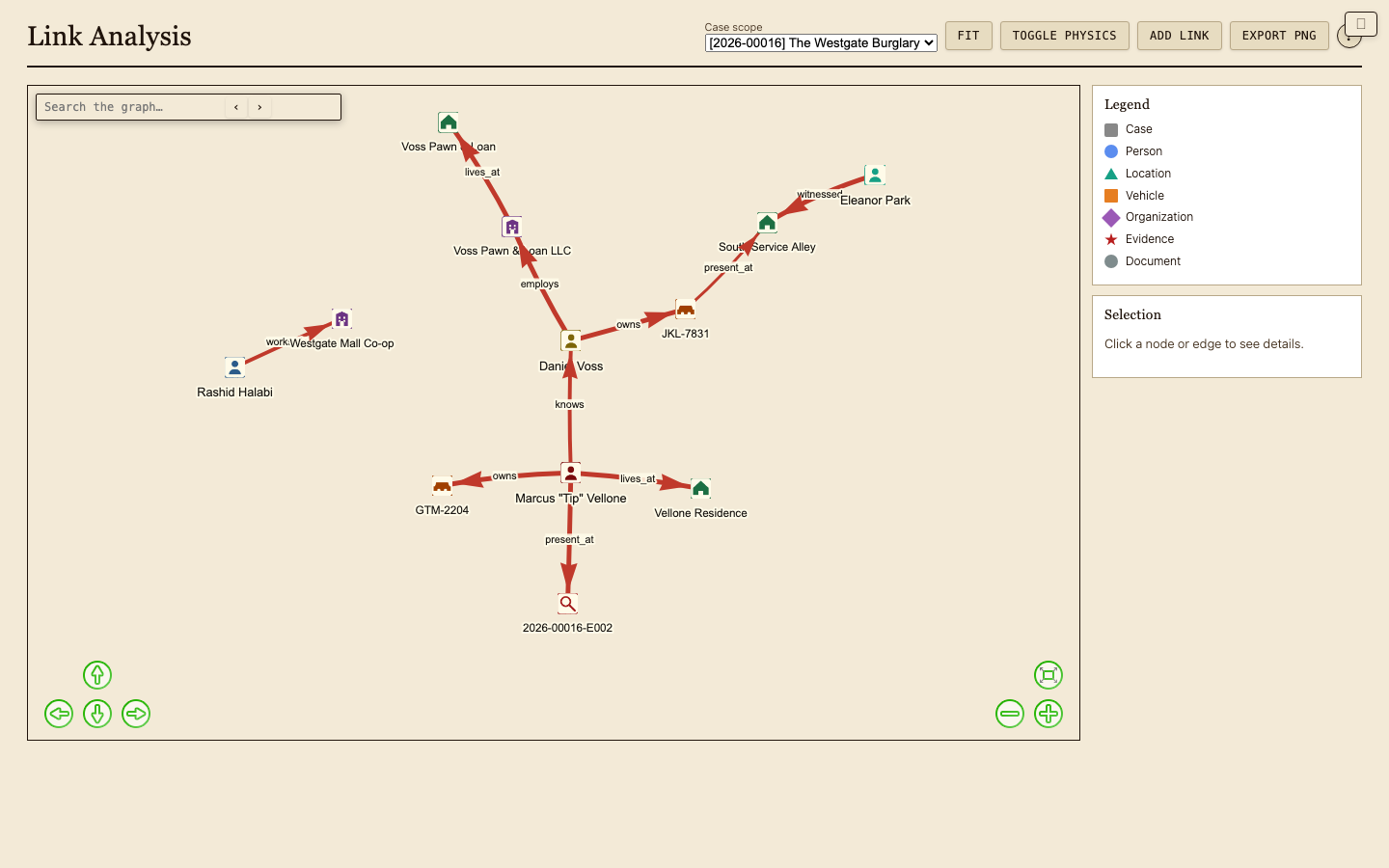
A visual graph shows how people, places, vehicles, organizations and evidence connect. It is generated from the records you have already entered, so the picture stays current as the case grows, and it is often where a pattern first becomes visible.
Tasks, status and workflow
Cases move through statuses you define, with a full status history. Tasks carry owners and due dates, and the dashboard surfaces open and overdue work across every case. It is light workflow automation, deliberately: enough to keep a team on track without the configuration burden of an enterprise incident management platform.
Compliance and reporting tools
The Reports screen gives cross-case statistics and workload views. Any case can be exported, and the whole account can be downloaded as a ZIP bundle of CSV files, one per table, so your data is never locked in. CSV templates for every table make bulk import just as easy, whether you are migrating from spreadsheets or from another case management system.
Sharing, roles and client tracking
Invite collaborators to a case as editors or viewers, or publish a read-only link for someone outside the app, such as a client or an editor. Collaborators are judged by the case owner’s plan, so a team’s access follows the account that pays for it. For a small practice this doubles as a simple client tracking system: one case per client matter, with every document, contact and deadline in one place.
Maps and search
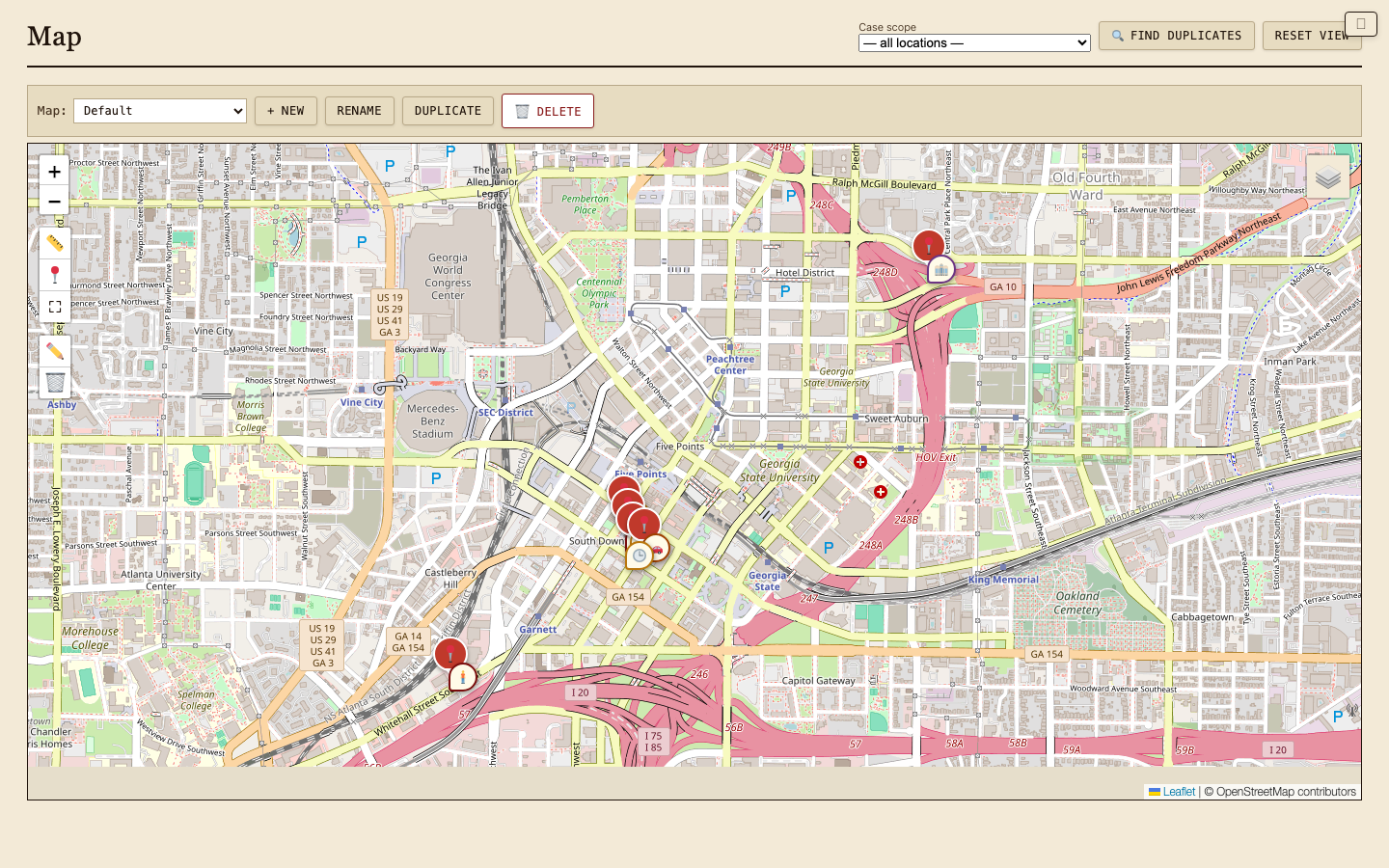
Plot every location on an interactive map with saved map views, and search across cases by title, number, summary, person, vehicle or note.
Beyond criminal investigations
Because CaseHound is built around cases, people, documents and timelines rather than any one industry’s jargon, it adapts to several kinds of case management work. A few honest notes on fit:
- Legal case management software. Solo practitioners and small firms use cases as matters: parties, opposing counsel and witnesses as persons, documents with OCR, court events on the timeline, and read-only links for clients. CaseHound does not do billing or trust accounting; it is the investigative and evidentiary side of a legal practice, not the ledger.
- HR case management and incident management. Workplace investigations map cleanly: an incident as a case, the people involved with roles, interview notes, documents with a custody log, a timeline of what happened and what was done, and confidentiality through per-case access. It is an incident management platform for investigations, not a ticketing helpdesk.
- Social work and nonprofit client databases. Case workers and small nonprofits use one case per client, with contacts, notes, tasks and documents attached and a status history for accountability. If your organization needs medical records integration or funder-specific reporting, you will want a specialized healthcare or nonprofit client database; if you need an organized, secure client file with a timeline, CaseHound does the job at a fraction of the cost.
- Research and writing. Historians, genealogists, journalists and novelists use cases as research files. Sources become documents, the cast becomes persons and organizations, places become mapped locations, and the chronology becomes the timeline. Link analysis then shows the connections you have been collecting.
Case management software pricing
CaseHound is priced for individuals and small teams, not enterprise procurement. Every plan is month to month with no contract, and the free plan never expires. The Pro plan includes a free trial, and Stripe handles billing so your card details never touch our servers.
| Plan | Price | Cases you own | Collaborators per case | Attachments | Best for |
|---|---|---|---|---|---|
| Free | $0 | View shared cases | — | 100 MB | Reviewing cases a colleague shares with you |
| Starter | $1.95 / month | 1 | 2 | 1 GB | One investigation or research project |
| Pro | $4.95 / month | 10 | 10 | 10 GB | Working investigators and serious researchers |
| Agency | $9.95 / month | 50 | 25 | 50 GB | Small firms and teams |
| LE | $19.95 / month | Unlimited | Unlimited | Unlimited | Law-enforcement units and agencies |
Features such as timelines, the map, link analysis, reports and export are allocated per plan; the plans page shows the exact comparison. Cancel any time and keep access through the end of your billing period. Your data stays put if you step down to the free plan.
Security and data ownership
Every case belongs to the account that created it. Access to a case is granted per person, per role, and can be revoked at any time. Evidence changes are logged in the custody trail, case status changes are kept in a history, and the full account can be exported as CSV whenever you like, so the data is yours in practice as well as in principle. CaseHound runs in your browser over HTTPS on our hosted platform; there is nothing to install and nothing stored on your device beyond your login.
Frequently asked questions
Is CaseHound a case management system or a client tracking system?
Both, depending on how you use it. It was designed as an investigative case management system, so evidence, custody and link analysis are first-class. Because each case also holds contacts, documents, tasks and a timeline, small practices use it as a client tracking system with one case per client or matter.
Can I use it for research that has nothing to do with crime?
Yes, and many people do. A case is simply a container for people, places, sources, documents and a timeline. Historical research, genealogy, journalism and fiction all fit, and the link-analysis graph is as useful for a family tree or a novel’s cast as it is for a suspect list.
Does CaseHound automate workflow?
It keeps workflow visible rather than scripting it: case statuses with history, tasks with owners and due dates, and a dashboard of open and overdue work. If you need rule-based routing or SLA timers, you are looking for a helpdesk or an enterprise incident management platform.
How does secure data collection work?
Files are uploaded directly to the case over HTTPS and stored against the owning account. OCR runs in your browser, so scanned text is extracted without sending documents to a third-party service. Access is per case and per role.
What compliance and reporting tools are included?
Chain-of-custody logs on evidence, status history on cases, a Reports screen with cross-case statistics, printable case views, and full CSV export of every table. These support audits and disclosure; CaseHound does not claim any specific regulatory certification.
Can I bring existing records in?
Yes. Download a CSV template for any table, fill it from your spreadsheet or previous system, and import. Persons, vehicles, evidence, documents, timelines and more can be loaded this way.
What does the free plan include?
Viewing and commenting on any case shared with you, with no card required. Running your own cases starts with the Starter plan, and the Pro plan offers a free trial so you can try the full toolkit before paying.
Can a team work on the same case?
Yes. Invite editors and viewers per case, up to your plan’s collaborator limit, or publish a read-only link. Collaborators inherit the case owner’s plan, so a team only needs one paid account for the cases it shares.


