
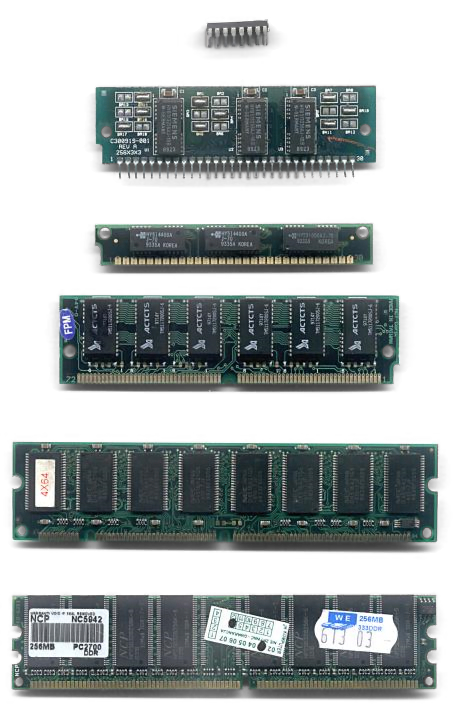
PC RAM is one of the least glamorous parts of a computer, but it may also be one of the most durable. Under ordinary conditions, memory modules can remain reliable for years—often long enough to outlive the motherboard, processor, or graphics card they were purchased alongside. Current estimates put a typical RAM lifespan somewhere between three and 15 years, though that broad range is better understood as a guide than a countdown clock. The latest look at RAM longevity makes the important distinction between a stick failing and a stick simply becoming too old for a modern PC.
For everyday workloads such as web browsing, office software, streaming, and light gaming, RAM generally operates well within its design limits. Memory does not wear out in the same way as an SSD, whose flash cells have finite write cycles. Still, sustained heat, unstable power, poor airflow, manufacturing defects, and physical damage can eventually cause problems. Heavy video production, AI workloads, and demanding 3D games can keep a system under higher thermal stress, while static electricity or an improperly seated module can cause failures much sooner.
Overclocking adds another variable. Enabling an advertised memory profile can be perfectly normal when the motherboard and processor support it, but pushing voltage and frequency beyond validated settings increases the chance of instability and heat-related trouble. Random crashes, corrupted files, blue screens, and failed memory tests are stronger reasons to investigate a DIMM than its age alone. A free diagnostic such as MemTest86 can help isolate defective memory, although intermittent errors may require testing modules individually and checking the motherboard’s slots.
In practice, compatibility is more likely to retire working RAM than physical failure. A new processor platform may require a different memory generation, such as moving from DDR4 to DDR5, and a replacement motherboard may impose limits on capacity, speed, or module configuration. Even without a platform change, modern games, browsers, creative applications, and operating systems can make an older capacity feel inadequate. That is an upgrade driven by performance—not evidence that the original memory has worn out.
Warranty policies underline how confident memory manufacturers are in long-term reliability. Kingston says its consumer memory modules, including ValueRAM and Kingston FURY products, carry a product-lifetime warranty, with “product lifetime” defined as the normal expected period of use in the industry. That does not guarantee that every module will survive indefinitely, but it does reinforce the practical advice: keep existing RAM if it remains stable, cool, and compatible before spending money on a replacement.
With memory prices under pressure from broader demand, preserving a working kit can matter more than ever. Keep the computer dust-free, avoid unnecessary voltage experiments, maintain reasonable temperatures, and test suspicious behavior before buying new modules. For most owners, RAM is something they replace because the rest of the PC has moved on—not because the sticks suddenly reach an expiration date.


