
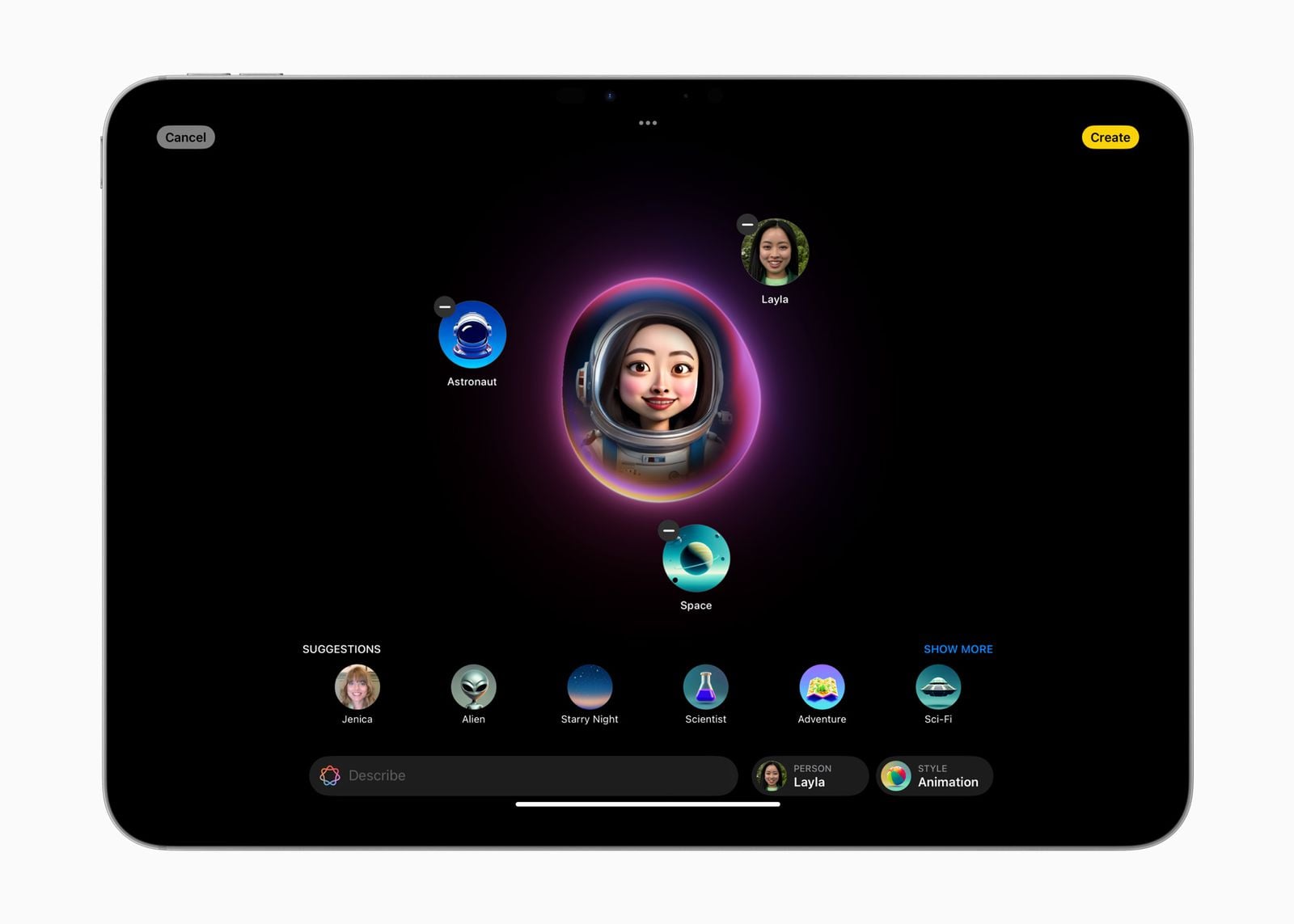
Apple’s Image Playground is becoming less of a novelty generator and more of an everyday creative tool. The Apple Intelligence app can turn text prompts, photos, and people from a user’s library into original images, while its latest updates add more control over the look and editing process.
Getting started is deliberately simple: open Image Playground, tap to create a new image, and describe what you want. Users can also choose from built-in visual directions such as Illustration, or select Apple’s new Any Style option and describe the aesthetic in ordinary language. Apple’s support documentation says the app can also use a photo or a person from the Photos library as a starting point, allowing prompts to place that subject into a new scene. Apple’s iPhone guide details those creation options.
The more significant change may be what happens after an image is generated. Instead of starting over whenever something looks wrong, users can describe a revision or target a specific object by tapping, brushing, or circling it. That selected element can then be moved, resized, replaced, or removed. A cabin could get a different-colored door, for example, without requiring the entire composition to be regenerated. Apple says Image Playground can also alter backgrounds, add new elements, and change an image’s style.
The app is also expanding beyond standalone pictures. Apple says Image Playground can create Lock Screen wallpapers and Contact Posters, and it supports different aspect ratios for uses such as website artwork or portrait-oriented flyers. Creations can be shared directly, saved alongside other media, or converted into Genmoji and stickers for use in messages and other apps. The same general workflow is available on Mac, with Apple listing integrations for places including Messages and Freeform. Apple’s newsroom announcement describes the broader feature set.
Image Playground is designed to keep the process lightweight rather than function as a full replacement for professional image-editing software. Apple presents it as a system-level feature that can be built into apps, and its developer documentation provides an ImagePlayground framework for developers who want to invoke the generation interface from SwiftUI, UIKit, or AppKit. That makes the tool relevant not only to people making playful portraits and stickers, but also to developers building creative features into their own apps. Apple’s developer documentation explains that integration.
For users, the practical takeaway is that Image Playground now covers three connected jobs: generating an image from an idea, refining a specific part of it, and adapting the result for Apple’s wider ecosystem. The app still favors stylized, guided creation over unrestricted image synthesis, but the addition of natural-language styles and localized edits gives it a much more flexible role in Apple Intelligence. The fall update makes the feature worth revisiting even for people who dismissed its earlier, more limited experiments.


