
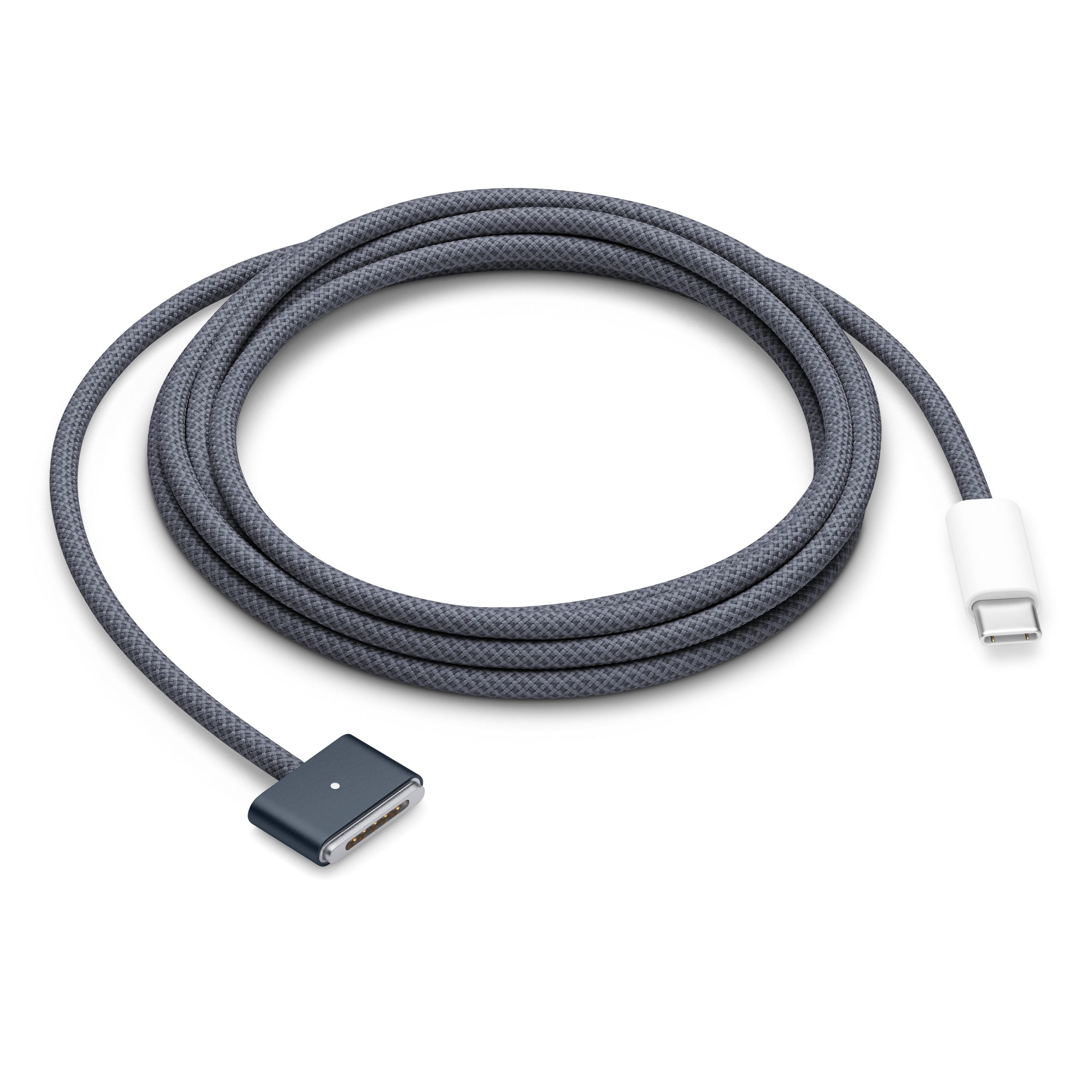
Apple’s recent MacBook lineup gives users an unusual luxury: two fully supported ways to plug in, with dedicated MagSafe 3 ports alongside USB-C/Thunderbolt ports that can also deliver power. As outlets like Engadget have noted, that flexibility raises a very practical question for Mac owners and would-be buyers alike — when is it better to reach for MagSafe, and when does USB-C make more sense?
MagSafe 3 is Apple’s latest take on its magnetic power connector, returning to the MacBook Pro in 2021 and spreading to newer MacBook Air models afterward. The cable snaps into place magnetically, releases cleanly if someone trips over it, and uses a small status LED to indicate charging, giving it a safety and usability edge over a rigid USB-C plug in many real-world setups. On high-end models like the 16‑inch MacBook Pro, MagSafe 3 can deliver up to 140 watts of power from Apple’s official fast-charging adapters, enabling significantly shorter top-up times compared with the 100‑watt ceiling commonly associated with USB-C and Thunderbolt 4 charging on the same machine. Both MagSafe and USB-C cables terminate in USB-C on the power-brick side, so the difference lives at the laptop end of the connection, not in the wall adapter itself.
USB-C, by contrast, is all about versatility. The same port that charges your MacBook can also handle high-speed data, video output to external monitors, and docking connections, often all through a single cable thanks to standards like USB Power Delivery and Thunderbolt. For users who juggle a gaming handheld, an Android phone, a Steam Deck, or a Nintendo Switch, being able to carry one charger and cable that works across devices is a major advantage over Apple’s proprietary MagSafe connector. Apple’s own support documentation notes that on dual-charging Macs, the system only uses one power source at a time and will automatically prefer the one that provides the most wattage, whether that comes in through MagSafe or a USB-C port, so plugging into multiple ports does not accelerate charging.
The biggest performance difference between MagSafe and USB-C shows up on larger MacBook Pro models that support Apple’s 140‑watt fast-charging mode. Community testing and Apple forum discussions indicate that Thunderbolt/USB-C ports on these machines top out at around 100 watts, while MagSafe 3 can pull the full 140 watts from the same adapter, allowing a much faster jump from low battery to around 50 percent. On smaller machines like the MacBook Air and 13‑inch or some 14‑inch MacBook Pro configurations, however, the internal power design effectively caps charging below that threshold, so users see little to no real-world difference between plugging in via MagSafe or USB-C when using an appropriate adapter. Coverage from consumer tech sites echoes this, pointing out that for many everyday workloads and overnight charges, both ports deliver similar outcomes as long as the charger matches Apple’s recommended wattage.
Safety and wear-and-tear considerations tilt the scales in favor of MagSafe for some users and USB-C for others. The classic MagSafe selling point remains: if someone snags the cable, the connector detaches instead of dragging your laptop onto the floor, a scenario that matters in cramped gaming setups, dorm rooms, and living rooms full of pets and kids. Because MagSafe is used solely for power, it also frees up USB-C/Thunderbolt ports for external GPUs, displays, high-speed storage, and USB hubs, which can be a big deal for creators and gamers who routinely max out their I/O. On the other hand, MagSafe cables are proprietary and typically pricier to replace, while USB-C cables are abundant and cheap—but they vary widely in quality and supported wattage, so using a low-spec cable can bottleneck charging or even fail to meet a powerful MacBook’s needs.
In practice, many power users end up mixing both options depending on context. Apple’s guidance confirms that any supported Mac with both ports can safely charge from either, so a reasonable strategy is to leave the MagSafe cable parked at a desk as a convenient, low-risk “dock” while relying on USB-C on the go with multi-device chargers in a backpack. Users with the 16‑inch MacBook Pro or similar high-wattage models who value maximum fast-charging performance gain the most by prioritizing MagSafe 3, while owners of lighter MacBooks focused on travel-friendly setups and cross-platform ecosystems may prefer to lean on USB-C’s universality. The winner isn’t a single port so much as the flexibility to choose, letting MacBook owners optimize for speed, safety, or simplicity depending on how—and where—they actually use their machines.


