
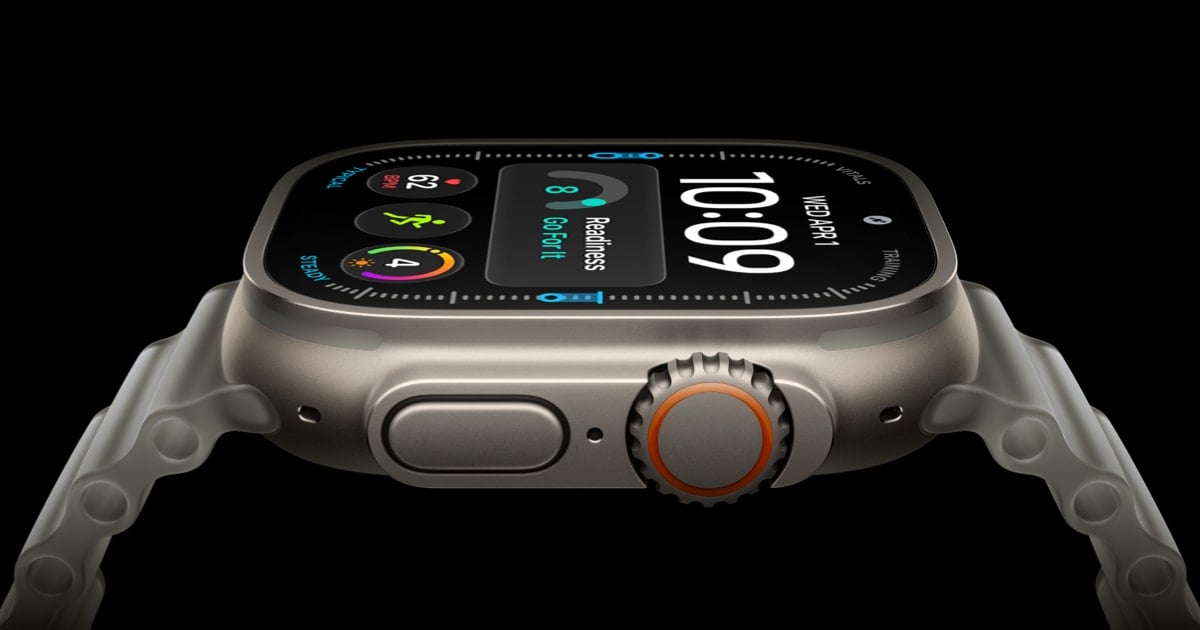
The Apple Watch Ultra 4’s orange Action button is one of its most useful features because it puts a physical control on the case instead of burying everyday tasks inside menus. A single press can launch a workout, mark a segment, move to the next interval, or switch on the flashlight, while longer presses unlock safety functions. Here’s a closer look at what the Ultra 4 Action button can do and how to make it fit your routine.
For athletes, the button is designed to work without requiring precise taps on a small touchscreen. Assigning it to Workout opens the workout picker, and pressing it again can start tracking. During an exercise session, it can mark a segment or lap, advance to another interval, and help keep the display from becoming a distraction while running, cycling, or training outdoors. Apple’s official guide also lists Stopwatch, Waypoint, and Dive among the available functions. Apple’s support documentation details the button’s different behaviors across those apps.
Navigation is another strong use case. Set the button to Compass and it can drop a waypoint, giving hikers a fast way to mark a trail junction, campsite, vehicle, or other location. Set it to Dive and the Ultra 4 can begin a compatible dive session. The button can also activate the flashlight, a simple assignment that is handy when looking for gear in a tent, walking a dark path, or dealing with a power outage.
The most flexible option is Shortcuts. Apple allows the Action button to run a shortcut from the watch, meaning one press can trigger a chain of actions rather than a single built-in feature. Depending on the shortcuts configured on the paired iPhone, that can include controlling smart-home accessories, changing scenes, sending a message, logging an activity, or starting a custom workflow. Apple confirms that Ultra models can run shortcuts from the Action button, turning the hardware control into a customizable interface for apps and connected devices.
Safety functions are built into the button as well. Holding it can bring up emergency controls, and holding it long enough activates the Ultra’s siren, which Apple says can be heard from as far as 600 feet, or 180 meters, away. The physical design matters here: the button remains easier to locate by touch than an on-screen control when the wearer is cold, wet, injured, or wearing gloves.
The Action button is only one part of the Ultra 4’s broader adventure-watch pitch. Apple introduced the 2026 model with an S11 chip, a new Health Sensing System, upgraded readiness insights, and battery claims of up to 50 hours in everyday use or up to 45 hours in Max Extended Workout mode. The watch went on sale September 18 at a starting price of $799, giving buyers a rugged wearable whose most useful advantage may be the ability to decide exactly what that prominent button does.


