
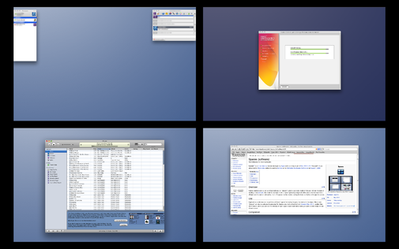
MacBook users who organize their work across multiple virtual desktops may notice that their Spaces seem to shuffle around without warning. The culprit is usually a Mission Control preference designed to make recently used desktops easier to reach—not a malfunction. The setting behind the shifting Spaces can be switched off in seconds.
macOS calls these virtual desktops “Spaces.” Each one can hold a different collection of app windows, allowing users to separate work, communications, research, or entertainment without constantly minimizing everything. Apple says Mission Control is built to create additional desktops for organizing open windows, with navigation available through gestures or Control plus the Left and Right Arrow keys. Apple’s Spaces guide also explains that macOS can automatically move you to a Space containing an app’s open windows when you switch applications.
The reordering problem comes from the preference named Automatically rearrange Spaces based on most recent use. When enabled, macOS promotes the desktop you used most recently, changing the order of the thumbnails in Mission Control. That can make keyboard shortcuts feel unpredictable because the same shortcut may lead to a different numbered Space after your work pattern changes. Apple describes the feature as a way to get faster access to recently used desktops. Apple’s Mission Control documentation confirms that this behavior is controlled by a dedicated option.
To keep the layout fixed, open the Apple menu, choose System Settings, select Desktop & Dock, and scroll down to Mission Control. Turn off Automatically rearrange Spaces based on most recent use. Once disabled, the Spaces remain in the order you establish rather than being reordered according to recent activity.
Users with multiple monitors should also check Displays have separate Spaces. That option gives each display its own collection of desktops, while Apple notes that it is required for using Split View on other displays. It addresses a different multi-monitor behavior than automatic reordering, but checking both settings can make a Mac’s workspace substantially easier to predict. After changing the arrangement preference, open Mission Control and drag the Space thumbnails into the order you want.
The trade-off is straightforward: macOS will no longer bring your most recently used desktops toward the front automatically. For people who rely on a carefully memorized arrangement—especially anyone using Control-arrow shortcuts—that consistency is usually more useful than the convenience of automatic recency sorting.


